


Mac
Designed to block gambling websites and supported apps on your Mac, with a clear view of your protection status.
macOS 14, 15 or 26 on Apple silicon. Intel compatibility is not confirmed.
Block gambling sites on Mac today DetachrDownload the app
The Detachr app
Block gambling websites and apps. Track your gambling-free days. Keep your reasons for quitting close, especially when you need them.
Email signup. No installer is provided at this step.

Detachr for Mac · Product preview
Block gambling sites on Mac todayA saved sportsbook, an online casino, a familiar betting app. When gambling is easy to reach, Detachr is designed to put a barrier in the way on the devices you use.
Set up blocking, check its status, then get on with your day. When a supported gambling app is blocked, the desktop intervention brings your own reason for quitting back into view. A reason you chose, for the moment you need it.
Explore gambling blocking and coverageAdd device-level protection for supported gambling sites and applications. Coverage depends on the version, permissions and setup on each device.
Open the app to check your protection status and see whether setup needs attention. Installing the app and having active protection are separate steps.
Keep your reason for quitting and your chosen next action in the app. Your next step might be a walk, a call or time away from the screen.
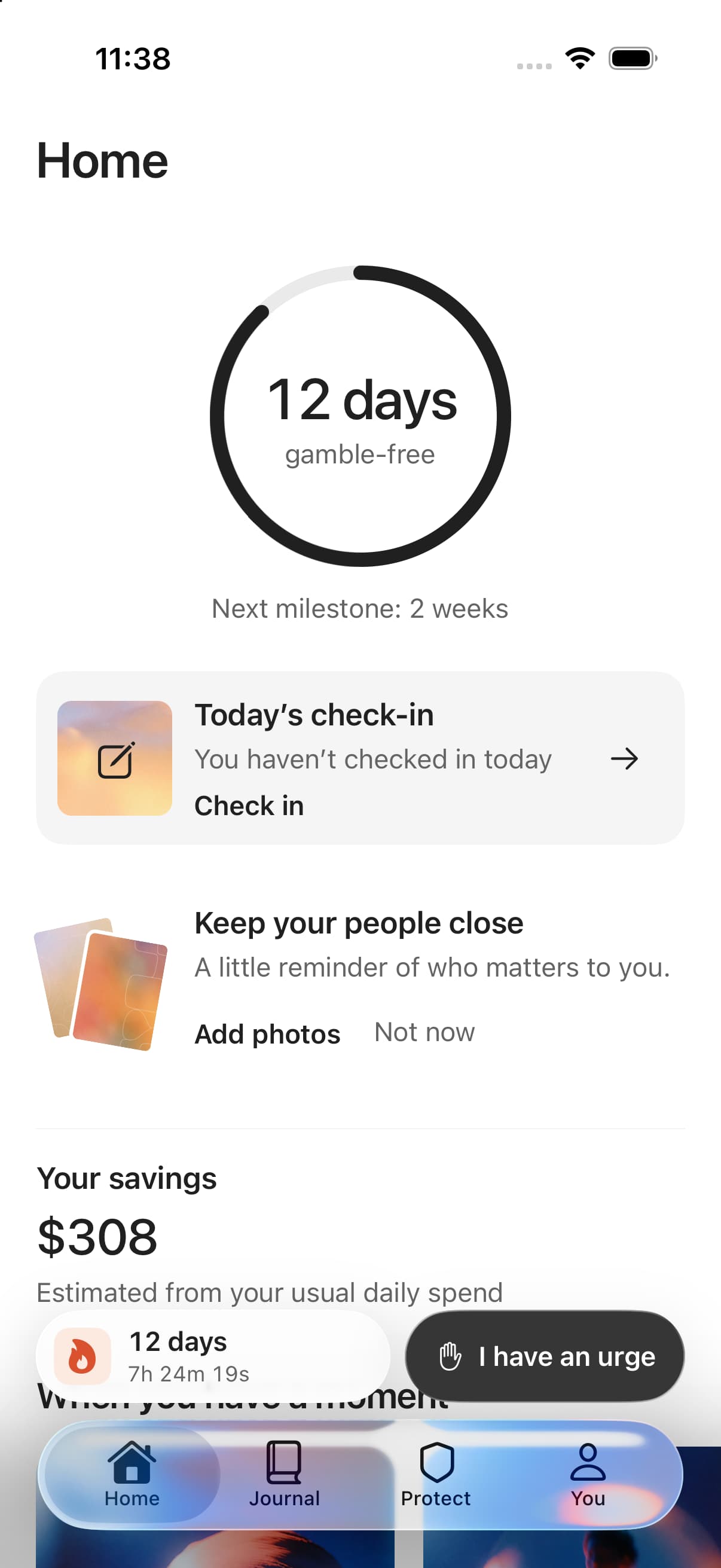
Open Detachr to see the time since your last bet, look back at check-ins and remember what you are working toward. A gambling recovery app has a place in the ordinary days, too.
Enter your recovery start and follow your current gambling-free interval. The desktop calendar puts those days in view, with saved check-ins marked alongside them.
Record the strength of an urge, what is happening around you and what you will do next. Add a note about how it went. Revisit your entries when you want to reflect.
Keep what you are protecting in view, along with the situations you find difficult and a next action you chose. Your plan stays connected to your own life.
See an estimate based on your previous weekly losses and the time you report without gambling. It is a personal estimate, not a bank balance or verified savings.
These tracking features are in the desktop app preview. The counter reflects the start date you enter; it cannot verify whether you have gambled. Features and availability differ by platform.
Open a check-in. Put the urge into words, choose what you will do next and leave yourself a record to come back to. The desktop app keeps those entries together with your recovery progress.
Rate the urge from 0 to 10 and record what is present.
Pick an action that takes you away from the bet.
Add what happened, or correct your entry when you need to.
Start with the device where gambling is easiest to reach. Each supported phone or computer needs its own installation and setup. Your laptop cannot protect your phone for you.
Designed to block gambling websites and supported apps on your Mac, with a clear view of your protection status.
macOS 14, 15 or 26 on Apple silicon. Intel compatibility is not confirmed.
Block gambling sites on Mac todayDesigned to block gambling websites and selected apps on your PC, with protection status and setup help in one place.
Windows 11 x64. Windows 10 and Windows on ARM are outside this compatibility target.
Block gambling sites on Windows todayA place for your recovery progress, daily check-ins and protection controls. Blocking depends on the permissions available on iOS.
Exact iPhone and iOS requirements are not confirmed yet. Device blocking depends on the permissions available on iOS.
Block gambling on iPhone todayThe demos show the product experience; they do not activate protection on your device. Coverage varies by platform and cannot include every new site, unknown app or device you have not set up.
Set up blocking on each computer, then make your recovery tools part of your day. Here is how the desktop app works.
01
Install the Mac or Windows version on a compatible computer. Set your recovery start and save your reasons for quitting during onboarding.
02
Follow the permission steps and check that setup is ready. Review your plan and its terms before payment, then confirm that protection is active.
03
Record a check-in, review your calendar and keep your next action close. Set up each additional supported device separately.
The planned desktop subscription covers one person across their supported devices. Monthly and annual plans include the same capabilities. Each device needs its own setup.
iPhone pricing is not confirmed. Leaving your email on the start page does not start a subscription.
Indicative desktop pricing · USD
$19.99 / month
$149.99 / year
No desktop free trial is planned. You will see the final price, applicable taxes, renewal terms and cancellation path before purchase.
Download the appYou can use Detachr alongside human support, self-exclusion and bank gambling controls. Our free resources explain those next steps and are available today, without an app subscription.
Detachr supports everyday recovery. The app does not provide clinical treatment or guarantee that you will stop gambling. For personal advice, speak with a qualified professional. Read our privacy policy or contact our team with product questions.
The Download the app button opens our start page. You can leave your email for access updates. The form does not provide an installer or start a paid subscription.
Detachr brings device blocking and daily recovery tools together. The desktop app includes a gambling-free counter, a calendar, check-ins and your reasons for quitting. Blocking is designed to limit access to gambling websites and supported apps on the device you set up. Capabilities vary by platform. No app can guarantee that you will stop gambling.
Yes. The desktop app counts time from the recovery start you enter and shows your current gambling-free interval on a calendar. Saved check-ins appear alongside it. The counter uses the date you provide; it cannot verify whether you have gambled. The website also has a free gambling-free day counter you can use today.
The desktop check-in lets you rate your urge from zero to ten, record what is happening and choose a next action. You can add a note about the outcome and revisit saved entries. The blocking screen also brings back your personal reason for quitting. For urgent or personal support, contact a gambling helpline or someone you trust.
Desktop blocking is planned as a paid subscription, with no free trial. Indicative pricing is $19.99 per month or $149.99 per year. iPhone pricing is not confirmed. Our guides, help directory, gambling-free day counter and gambling loss calculator are free to use without an app subscription.
Each supported device needs its own app installation, permissions and protection check. Installing Detachr on a Mac or Windows PC does not protect your iPhone or another computer. The planned desktop subscription covers one person across their compatible devices.
Installing the blocking app does not close accounts or enroll you in self-exclusion. Those are separate steps with operators or official programs. Our account-closure and self-exclusion guides explain how to start.
Desktop setup starts with installing the Mac or Windows version and completing the permission steps. The app checks setup readiness before payment. Review your plan and its terms, then check that protection is active. Each computer needs its own setup.
Yes. Device blocking can be used alongside self-exclusion, bank gambling controls and human support. The app is not a clinical treatment and cannot guarantee that someone will stop gambling.